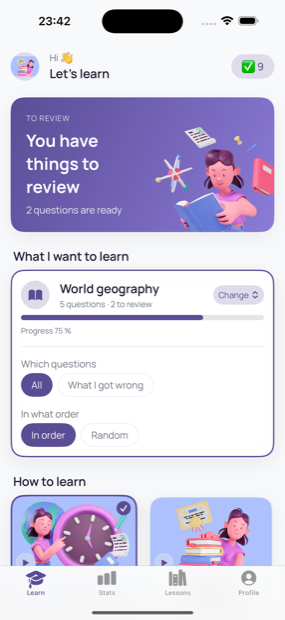
You choose how you want to learn
Gradually
Questions arrive as notifications, sensibly spaced apart. A question waits like an ordinary message and you answer whenever it suits you.
Intensively
When you have a spare moment — on the tram or while waiting for something — start a session right on your Lock Screen. Questions come one after another, for as long as you enjoy it.
AI builds the lessons
Nothing to figure out. Write what you want to learn and AI prepares the questions and answers for you. Then you start practising right away.
What Dropling gives you
New knowledge along the way
You learn in small doses throughout the day, with no need to focus for long stretches.
Learning when it suits you
You decide when to answer. The app adapts to you, not the other way around.
A clear view of your progress
For every lesson you see what you know well and what is worth another round.
Dropling is free to download and use right away. Dropling+ then adds unlimited lessons and more AI generations per month, if you want to go further.
Is a few questions a day enough?
Yes. The strength is in the regularity. When you revisit material at sensible intervals, you remember it far better than after one long cramming session. A few questions a day add up to a nice stack of knowledge over a week and a month — and what you already know gets easily reinforced.
This is Dropling
Clear, colourful and easy to follow — nothing complicated.
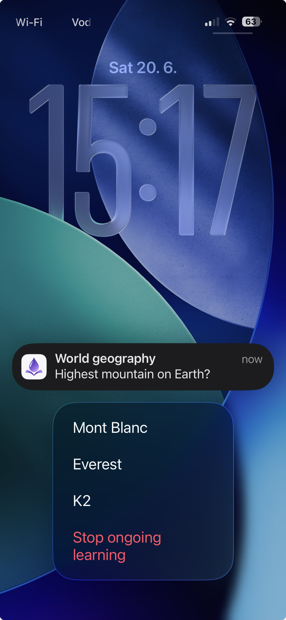
A question waits on your Lock Screen
The notification arrives when it suits you, not the app. You glance, pick an answer, and carry on — you never even open the app.
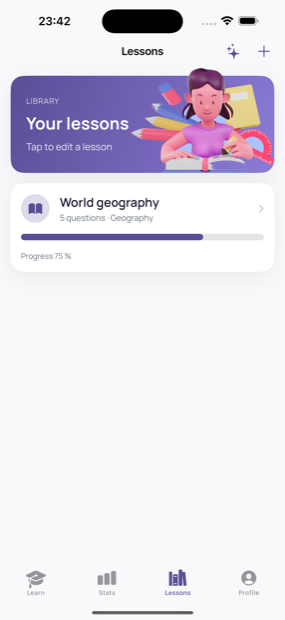
Lessons made for you — even by AI
Write what you want to learn and AI prepares a whole lesson. Or easily create your own questions and answers.
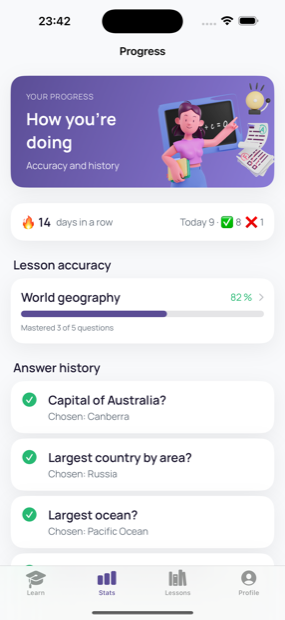
Track your progress
For every lesson you see your success rate and answer history. You instantly know what you know well and what is worth another round.
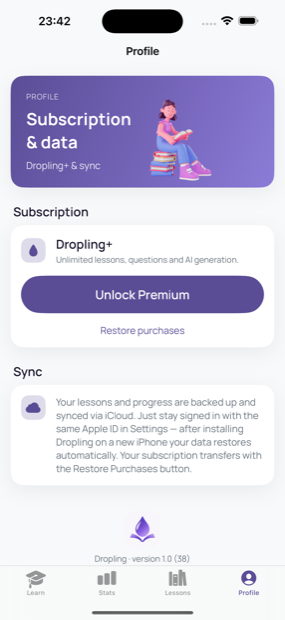
Everything safe in your iCloud
No accounts, no sign-in. Lessons sync through your private iCloud and stay yours alone.
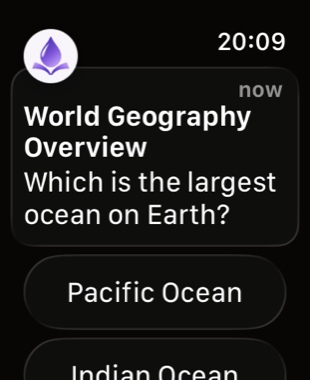
On your wrist, too
The question lands right on your Apple Watch. Perfect for the moment your phone is still in your pocket.